Posts

Showing posts with the label AWS

Setup MongoDB statefulset on AWS Fargate

Image
Hi everyone I am Manshu Sharma and today we will see how can we deploy the mongoDB on AWS fargate as a  statefulset  with help of the mongoDB community operator but before we start let's have a quick overview of two important terms statefulset,   stateful application . What actually statefulset is in Kubernetes? StatefulSet is a Kubernetes resource used to manage stateful applications and It manages the scaling , ordering and uniqueness of each pod. It requires headless service and we are responsible for creating this service. What actually is stateful applications? Stateful applications are those programs that save client data from the activities of one session for use in the next session. Consider it as an ongoing periodic conversation with the same person. Some examples of stateful applications are MySQL,    MongoDB, FTP server,  Redis Cache, Kafka  and any Login service that stores client authentication data on the server, labelling clients...
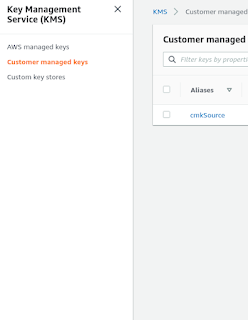
How to share a custom AMI to other accounts

Image
Hi everyone 🙂, I am Manshu Sharma and today we are going to discuss an interesting topic that will help us to share custom private AMI in all accounts & regions. In this post first, create a custom encrypted AMI from the public AMI, and then share the custom AMI with encrypted EBS snapshots across accounts and regions. This approach allows you to launch Amazon EC2 instances globally from multiple accounts by using the same base-encrypted AMI. Requirments We need two AWS accounts i.e SourceAccount & DestinationAccount Have a basic knowledge of AWS services SourceAccount:- In which you build a custom AMI and encrypt the associated EBS snapshots. DestinationAccount:- In which you launch instances using the shared custom AMI with encrypted snapshots. Note :- While writing this blog post I am considering two imaginary AWS account ids  111111111111   with region us-east-1 for  SourceAccount & 999999999999   with us-east-1 for DestinationAccount so be sure yo...

Create a custom AMI with default 6GIB minimum EBS volume size

Image
Hey everyone, Today I would like to share another interesting post related to AWS AMI. Those who don't know about Amazon AMI you visit this  Amazon Machine Images (AMI) . In this post, we will see how to create a custom AMI (our own personal AMI) with a minimum EBS volume size of 6 GIB. To create a custom AMI we first need to create an EC2 instance. The specifications of our instances are as follows: OS type Amazon Linux 2 Volume size 8GIB (Minimum size that amazon allows) Tag with Key: Name and value: MyInstance So after creating our ec2 instance, we need to follow the following instructions: First, Shut down the instance ( MyInstance ) to prevent any problem. Create a new 6GIB EBS volume. Go to Elastic Block Store Volumes Click Create Volume Choose the same volume type same with your old volume Enter your desired size; In our case 6Gib Choose availability zone; The volume will be available to an instance in the same availability zone. Add a tag with Key: Name and value: NewVolume...